☎
Reach the person responsible
Call with a question or problem and speak directly with Aquilino—not an anonymous queue that doesn’t know your business.
Payment processing with a person behind it
Fair pricing. Better technology. No long-term processing contracts. When you need help, you’ll speak directly with the person responsible for your account.
No obligation. No pressure. Just an honest review.

A different kind of processor
Most processing relationships become impersonal after the application is signed. National Merchant Systems is built on service and TRUST.
Call with a question or problem and speak directly with Aquilino—not an anonymous queue that doesn’t know your business.
Clear, competitive pricing designed to stay fair throughout the relationship—not a teaser rate followed by quiet increases.
No long-term merchant processing contract and no cancellation trap. We earn your business by continuing to serve it.
Payments that fit your business
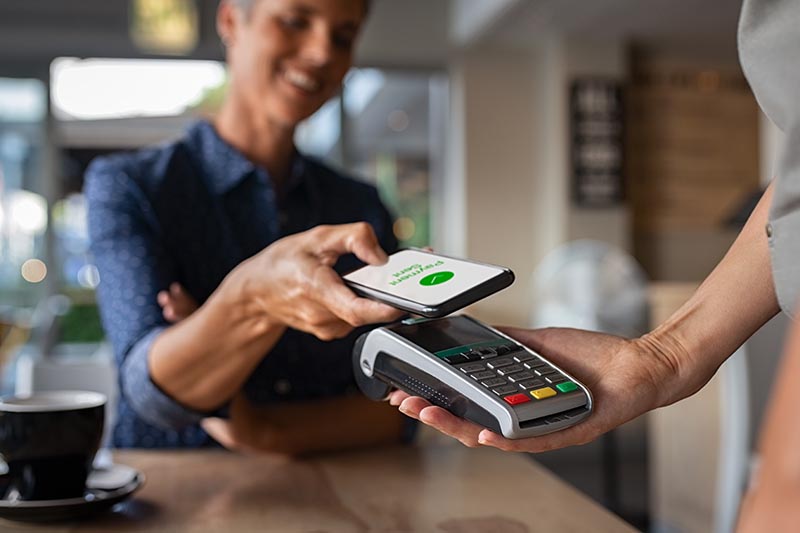
From a simple countertop terminal to a connected point-of-sale system, we’ll help you choose what makes sense—without overselling you.
Talk through your needs →Countertop, contactless and mobile acceptance.
Ecommerce, virtual terminal and payment links.
Flexible solutions for restaurants, retail and service businesses.
Transparent interchange-plus, cash discount and compliant surcharge options.



Better-fit technology
We help match your workflow to the right hardware and software, from compact mobile devices to complete multi-station systems.
A practical equipment option
When appropriate, Aquilino may personally finance the equipment your business needs for up to 12 months. After the final payment, the equipment payment ends and the equipment is yours.


“My goal isn’t simply to sign you up. It’s to make sure you remain confident in your processing partner years from now.”

Meet your account contact
Aquilino Larrea brought a banking mindset into merchant services: deliver real value, take care of the customer and protect the relationship. For 19 years, he has helped owners reduce processing costs, update their technology and make better decisions about accepting payments.
National Merchant Systems stays intentionally personal. The person who earns your business remains involved in serving it.
Call Aquilino at (305) 776-6006 →Merchant intelligence
Important industry changes and useful new technology, explained without the jargon.
Network rules, interchange developments and compliance updates—summarized around the question that matters: what should your business do?
Read industry updates →Terminals, POS systems and tools assessed for usefulness—not novelty.
Explore product updates →What changed, who may be affected and whether action is appropriate.
Read industry news →Start with an honest review
We’ll review your current statement, explain the costs in plain language and identify any practical opportunities to improve pricing or technology.